
Using Safeword
How Safeword works
Start with an idea, discover what appeals to you, and shape a scene with room for your boundaries and your pace.
Safeword is an adults-only space for AI BDSM self-exploration. You can talk with an AI persona, explore an interest, or design a scene. You do not need to arrive with a finished script. A feeling, a question, or a scenario you want to understand is enough to begin.
Look around before joining
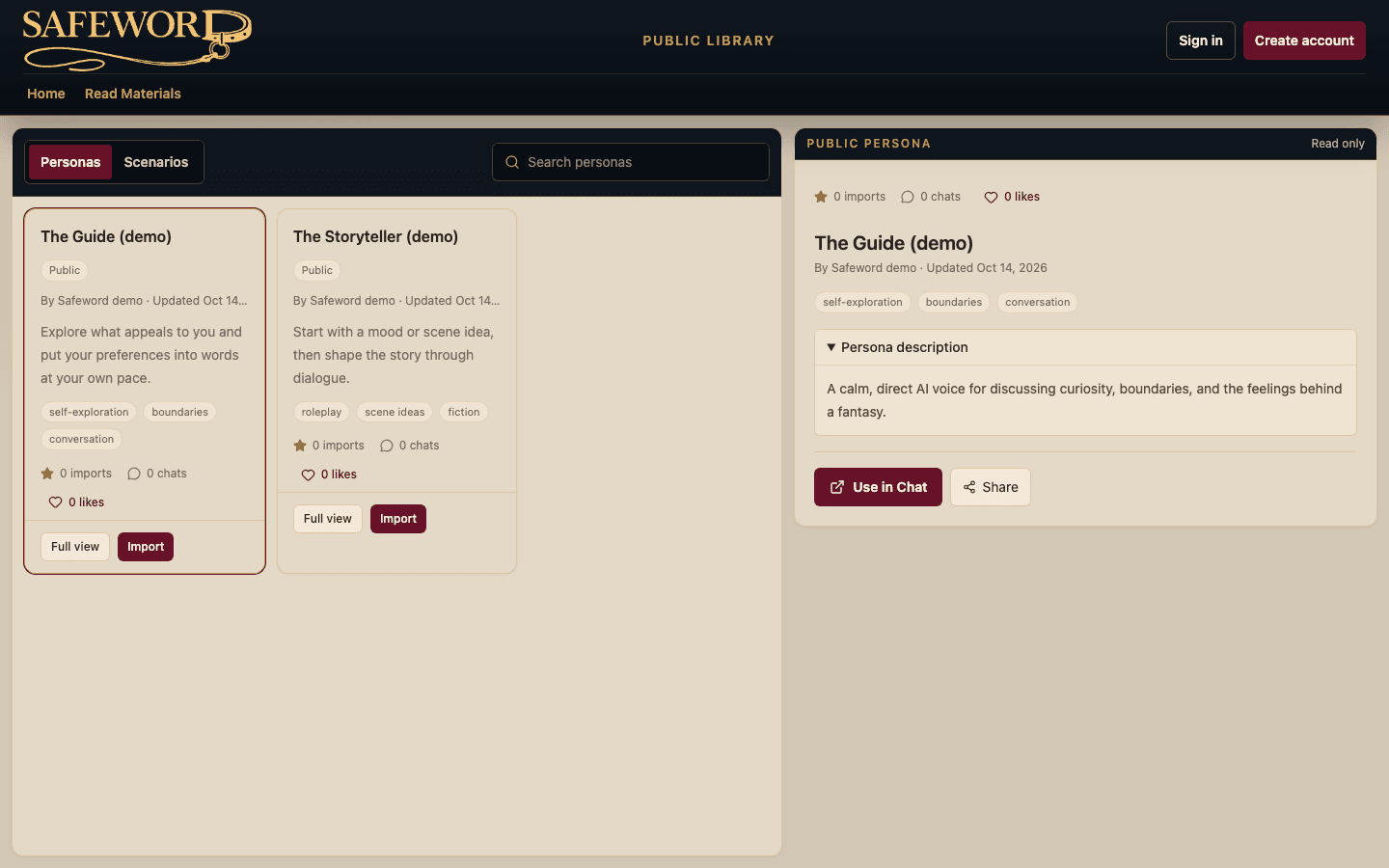
The public Library lets you browse personas and scenarios people have chosen to publish. It is a read-only view: you can see what a published scenario is about before making a private workspace. You will be asked to acknowledge the adult themes before browsing. That acknowledgement does not create an account.
Choose how you want to explore
In your private workspace, you can chat freely with a persona or use more focused ways to explore. Fetish Exploration gives a conversation room to examine what an interest means to you. BDSM Scene helps you develop a scene: its mood, roles, activities, pacing, practical needs, limits, and aftercare.
The AI can suggest and respond, but you decide what feels fitting. Your preferences and the scene's saved state are the reference for what can happen next. A piece of expressive dialogue by itself does not start a scene or change a boundary.
Design before you play
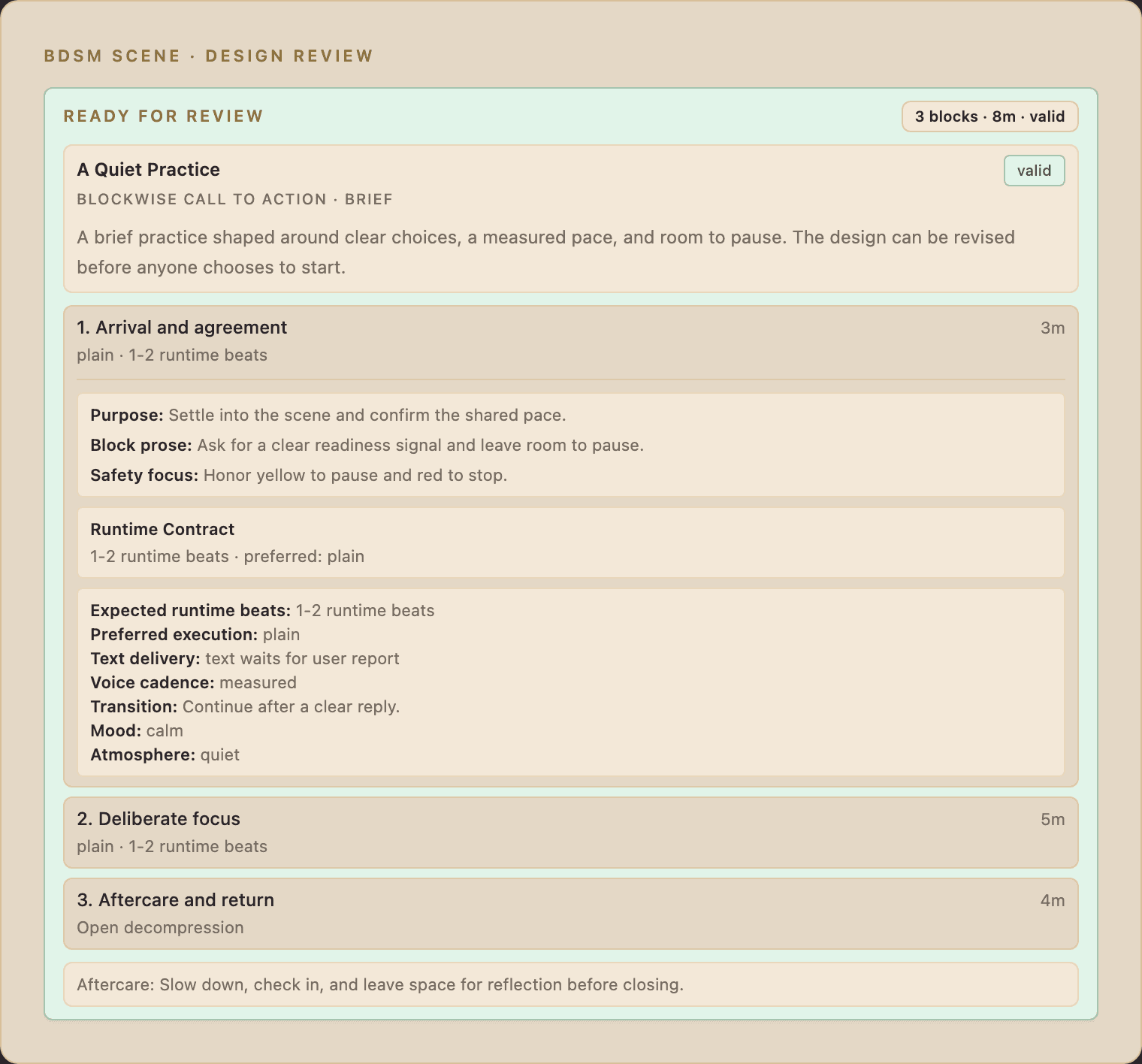
In BDSM Scene, you begin by discussing the experience you want. You can start fresh or adapt a scenario from your Library. Safeword asks about details that affect the scene and makes a design available for review. You can revise it, save it for later, or choose to start it. At entry, you are asked for consent to begin the scene. A timed action starts only after its own readiness step.
Public and private are different. Your workspace scenarios remain yours unless you explicitly publish one. The public Library contains published snapshots, not your private chat.
Leave room for the ending
A Scene includes a separate aftercare phase. It gives you space to slow down, say how the experience landed, and continue the conversation before closing the run. You can also revisit saved scenarios and reshape them as your understanding changes.
Curious about the controls? Read Limits, safewords, and aftercare for a closer look at what they do.